
Coding Runs That Check Their Own Work
Coding apps are good at writing code and too quick to say they’re done. Here is what Threadful does after a run says it’s finished, and how several runs share one folder without stepping on each other.

In this post
Coding apps have become very good at writing code. What they still do too often is say they’re done when they aren’t. A test fails that they didn’t run. A page they built doesn’t load. Sometimes the file they were meant to change wasn’t touched at all, and the summary says otherwise.
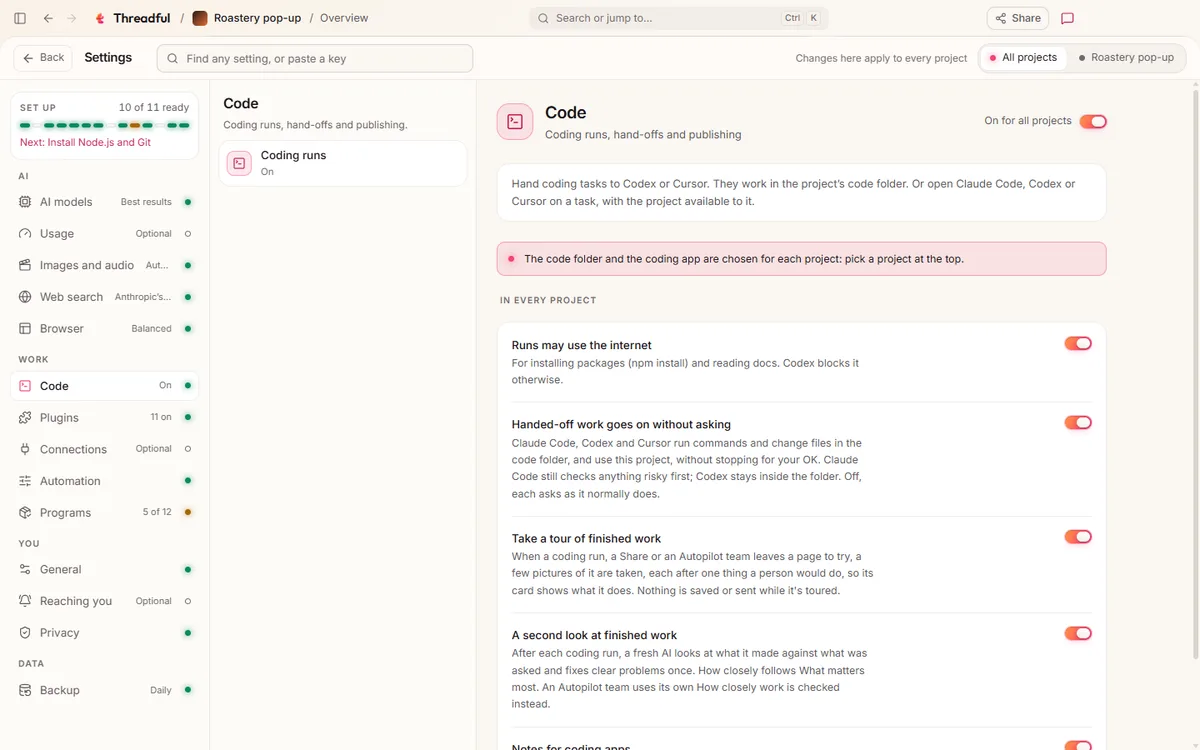
A coding run in Threadful hands a task to the coding app you already use: Codex, Cursor, Claude Code, Google’s Antigravity or GitHub Copilot, on your own plan. If you have none of those, a model you have a key for can do it inside Threadful. Then, when the app says it’s finished, Threadful doesn’t take its word for it. This post is about what happens next, and why.
What a run takes with it
A run works best when it never has to ask what you meant, so everything it needs goes with it. That means the task, the project’s goal, what’s been decided, the design, the project’s rules and the skills that fit the work. Pictures you attached are put in the folder for it to look at. While it works it stays connected to the project, so it can look up the plan or the library instead of guessing.
Every run has one place to work, shown on its card. It can read anywhere it needs to, but it changes files only there. It never works in Threadful’s own data, and if it changes something outside its place anyway, the card lists those files so you know to look.
Some things are left to you. A run on your plan can’t push code, publish a package, deploy a site or post on GitHub. It finishes the rest and says in its summary what to run. If you want runs in a project to push for good, you can allow that one command in Settings.
The checks it can’t skip
When a run finishes, the project’s own checks run: type checks, lint, tests and the build, whichever the project has. They’re judged on what the run changed. Problems in its own changes, or in what those changes broke, go to a fix run straight away, right under the card, and the checks run again, twice at most. Failures only in files the run never touched don’t count against it. The card names them, so you know they’re there.
Threadful also looks at what really changed in the folder. A run that says it’s done but changed nothing, when it was meant to change something, is told so and carries on once, in the same session. If it still changes nothing, its card says “It changed nothing”, not “It works”.
A second look
Then a fresh AI takes a second look at what was made, against what was asked. Every brief ends with a few “Done when” lines, and the second look goes through them. It sees the changes, the checks, and the page at desktop and phone width with any errors it threw. It never reads the coding app’s own account of the work. A reviewer that has just read “everything works” tends to agree with it.
When it’s sure something breaks what was asked, the run fixes it once, in the same session that built it, and the work is checked and looked at again. When something’s still wrong, the card says “Not right yet” and where it was seen. Things that are yours to decide come under “Your call”. That includes any change that loosens a check, like a skipped test or a silenced error, which is always named.
How closely it looks follows what matters most to you. On Best results every change gets a look from your strongest model. Lowest cost looks only at runs that made a page.
Something you can open
After all that, the card leads with something you can open, never a folder or an address to copy. If the run left a page running or built an app, there’s Try it, with a picture. Under it is a short tour, a few pictures each taken after one thing a person would do: opening a tab, scrolling, typing into a search box. Nothing is saved or sent while it’s toured, and it never clicks anything that would delete, pay, send or sign in.
I care about this more than almost anything else in the coding part of Threadful. I don’t want to read a diff to find out whether something works. I want to open it.
While it works
You can watch a run, but you don’t have to. A line on its card says what it’s thinking, in a sentence. If you notice it heading the wrong way, add a note. It gets the note as soon as it finishes the step it’s on, and carries on in the same session with it.
A run that makes no progress for ten minutes is marked Stalled. If it stays quiet for 25 minutes it’s stopped, then carried on from where it got to, up to three tries. Things trying again can’t fix, like a coding app that’s signed out or out of its plan’s limit, wait for you instead. If another coding app is signed in, the work moves there.
A finished run can be undone in one click, and its changes put back again. A long run also saves the folder every ten minutes or so while it changes files, so you can go back to a point partway through when something went wrong late.
Several runs, one folder
This is the newest part, and the one I’m most pleased with. Until recently, a second run in a busy folder waited its turn. Now it can start at once, in its own copy of the folder.
The run already working there carries on undisturbed, and the two never see each other’s half-done work. When the second run is done and checked, its changes join the folder as soon as nobody else is working there. A file only it changed goes in as it is. A file both changed is put together when the changes are in different places. When both changed the same lines, nothing is guessed: the folder keeps its own version, and a new run brings the other change in properly. Undo takes back out just what the copy brought in.
Runs at work in one folder can see each other too: what each is doing and the files it has changed. When one does something that affects another, like renaming a function the other uses, it leaves that run a short note.
A run you started can also stop and wait for you. It can ask you a question when it reaches a decision only you can make. It can show you a first version once there’s something to open, if you asked for that. Or it can wait for another run whose work it needs. While it waits, the folder is free for others.
Keeping track of it all
Runs don’t open chat tabs. A strip above the page shows each piece of coding work as a bead: amber when it needs you, the ribbon’s colours while it works, a tick when it’s done. Click one for its card. Done work leaves the strip by itself.
If you code a lot, the coding guide has every detail, and Use the AI You Already Pay For explains how runs move between your plans when one runs out. If you don’t code at all, you can still ask for an app in a sentence and get it back working, checked and ready to try, which was the whole point.
