
From an Idea to a Live Website in an Afternoon
The whole path in Threadful, step by step: a sentence about your business, a logo and its brand kit, a real website you change by clicking, and your own address on the web.

In this post
This is how I’d spend an afternoon taking an idea to a website people can visit. No code and no templates, only a way for the AI to think. Most of the time goes on looking and choosing. The making happens while you look.
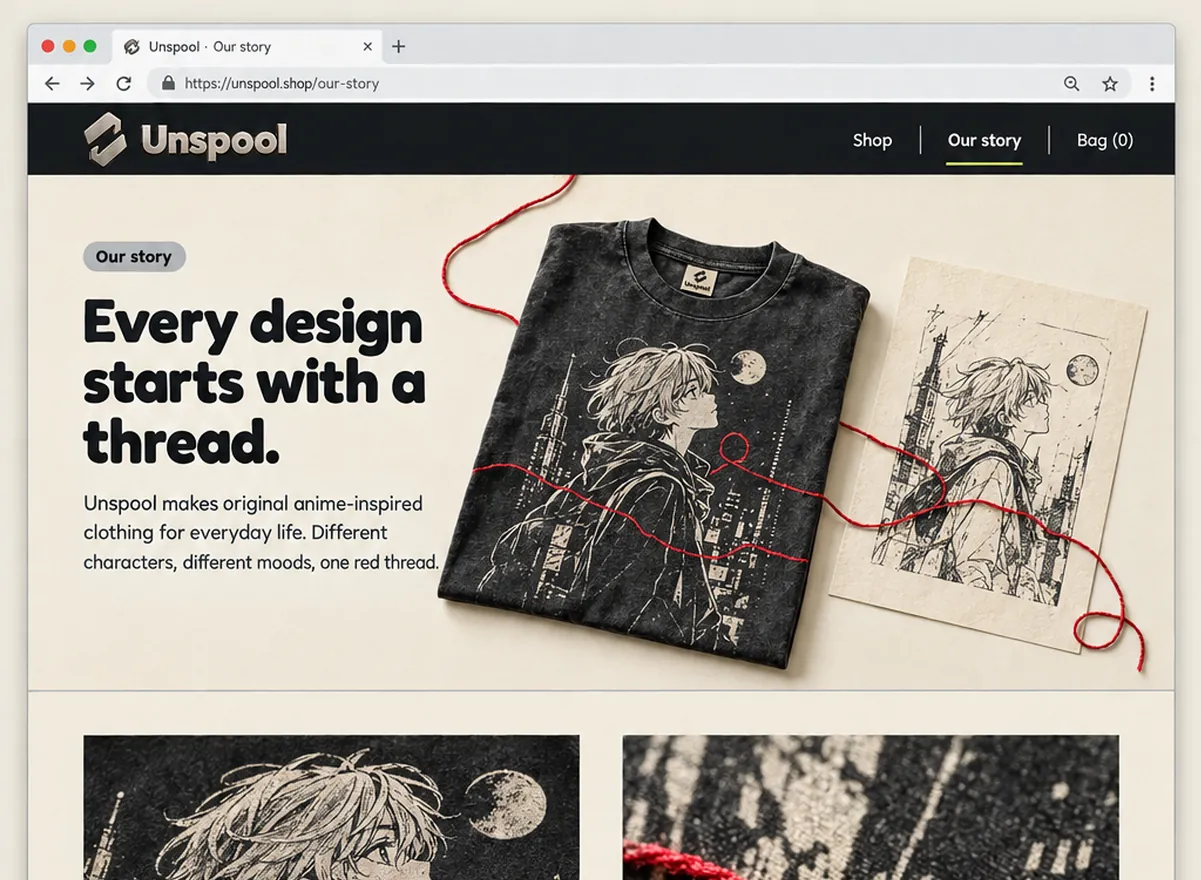
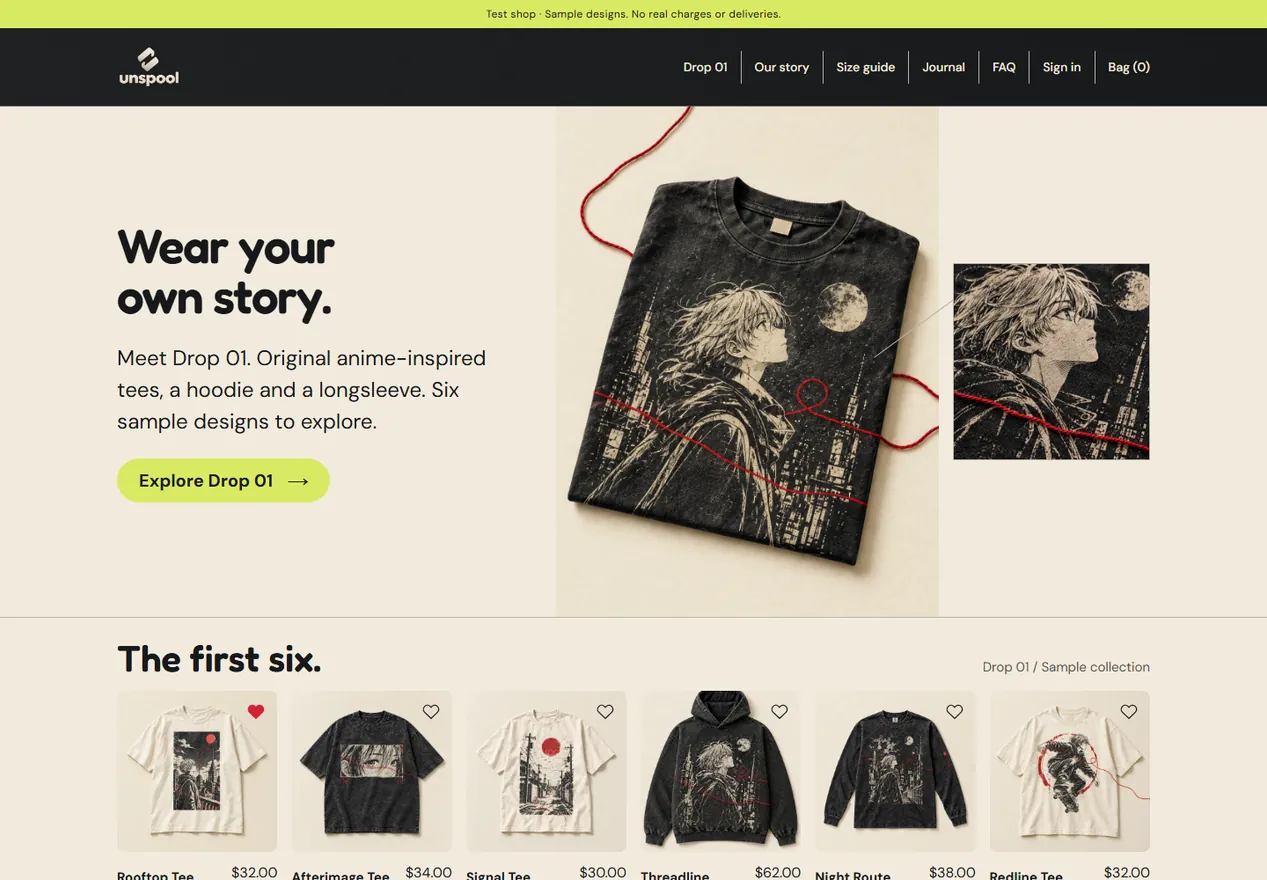
I’ll use Unspool as the example where I can. It’s an anime streetwear label for teens that was planned and built in Threadful, and it’s the real project on our examples page.
Start with a sentence
Open Threadful and say what you’re working on. Two of the ways to start are Make a logo and Design a website, and a sentence like “a logo for my weekend pottery stall” goes to the right one by itself. I’d begin with the logo, because a website looks like its brand. A few quick questions follow, four at most: the name, what you do, how it should feel and the colours you love. Anything your sentence already answered is skipped.
If you have a website already, start with Refresh my website instead and give it the address. Threadful brings in its pages, logo, colours and photos first, and the new designs start from those. If you have a logo file, drop it in.
The logo comes first
In Logo Studio, the first ideas come back as six different directions, most of them in two takes. Each is shown finished, as a polished app icon or on a background chosen for it, so you react to a real logo and not a sketch.
Heart the ones you like, and ask for more ideas as often as you want. Then refine: full logos of the ones you love, the logo at real sizes, other colours, or your own words, like “make the t easier to read and keep the flow”. Each round changes only what you asked.
The step I’d never skip is brand cards. They show your logo on light and dark, as an app icon, alone and small, with its colours. That’s the best test there is before you choose.
When you choose, you get the whole kit. You get clear logo files for light and dark backgrounds, the app icon at every size down to 16 pixels with a favicon, the mark on its own, versions in one colour and reversed, and a one-page brand guide. The colours are read from the logo, each with what it’s for, and checked so text reads on them. Its name is set in real type in the closest font, so it’s always spelled right.

Already have a logo? “Use the logo you have” on the Design page skips the ideas and makes the kit from your files. Only what’s missing is made.
Website ideas, shown finished
Now open Website Studio. The brief already knows the name, what you do and the brand, from the project. Say where people will see it most and how it should feel, and drop in a few sites you like if you have some. They guide the look without being copied.
The ideas come back as finished homepage screenshots, in your logo, colours and type. Heart, refine and choose the same way as the logo. If you like the about page or the shop page in one of the ideas, ask for “the other pages of the ones I love” and those get built too.
Build it
On the chosen design, press Build the website. Threadful reads the design and builds it as a real website, in parts. First the header and footer that sit on every page, then the design’s sections, and the colours, type and spacing they all share. The home page comes next, then the other pages you loved. Pictures are made in the design’s own style. Your logo files go in the header as they are, never redrawn.
Before you see it, the home page is looked at beside the design you chose and fixed wherever it differs in a way that matters.
Change it by clicking
This is where most of the work happens. Every page on a website’s Design tab is an editor. Click a heading, a button, a picture or a whole section and it’s selected, with its name and handles. Change it by hand at the side, or double-click the words on the page and type. A picture can come from the library, or be made new in the design’s style.
Or say what to change. Select the hero and write “a calmer photo, and make the button say Book a stall”. The AI makes it, on that page or on every page that uses that section, as you choose. With nothing selected, what you say goes for the whole page, or the whole site.
When there are a lot of small things, switch to Notes. Click wherever something should change, leave a note there, leave as many as you like, then press Fix these. The AI sees the page with your numbered notes drawn on it and makes them all in one change.
Need another page? Add one with a click (About, Shop, Contact, FAQ and a few others) or in a sentence, like “a size guide with a table”. It’s made of the same parts, and the header links to it. Undo takes back any change, whatever made it.
Selling something
If you sell one thing or a few, like a course, a set of presets or a gift card, you don’t need a shop. Click a button on a page and choose Take payment with Stripe. Paste a payment link from your Stripe account, or have Threadful make one in your Stripe for you (it asks first, every time). Buyers pay on Stripe’s own checkout, and the money goes to your account. It’s a plain link, so it works the same once the site is live. The design guide has the details.
Put it on the web
Press Publish on the website’s page. The first time, Threadful sets up Vercel and you sign in to a free Vercel account right there in the window. Then it takes a minute or two, and you get an address anyone can open. Publishing again updates the same address.
Before it goes live, the Publish window tells you what won’t work on the web yet: a form that can’t reach you, a Buy button still on a Stripe test link, or code that only pretends to take payments or send emails. You can put it right first, or say it’s fine as a demo for now.
To use your own domain, add it under Domains. The window shows the records to set where you bought it, each with a button to copy it. It can take a few minutes, sometimes an hour, and Check again says when it works. The apps guide walks through it.
When it needs to do more
A website made this way shows pages well. When it needs to take bookings, let people sign in, run a shop or keep data, make it a full website. You say what it should do, and the chat asks the few questions it needs before a coding app builds it out from your design with real working parts. It needs Codex or the Cursor CLI signed in, and the guide explains the steps.
From then on the code is the website. Its Design tab shows the real pages as they run, you click and leave notes the same way, and one Run makes all your changes at once as a new version you can go back to.
How long it really takes
How long this takes is mostly up to you. Each round of ideas takes a few minutes to make, and the website builds while you do something else. If you know what you like, you can finish in an afternoon. If you’re like me, you’ll spend the second hour on brand cards and enjoy it.
Then come back to the project and keep going. The Design page will suggest what fits next: ads in your brand’s look, emails, slides. There’s more on those in A Tour of the Studios.
